
Cart is empty
Save 17%

Compatibility:
Versions: Cs-cart 4.1.x-4.22.x
Editions: Multivendor, Multivendor Ultimate, Cs-cart Ultimate, Multivendor Plus, Cs-cart
Versions: Cs-cart 4.1.x-4.22.x
Editions: Multivendor, Multivendor Ultimate, Cs-cart Ultimate, Multivendor Plus, Cs-cart
6 months free updates
30 days money-back on addons: if the add-on does not fit your needs, just request a refund
easy installation via admin panel without changing root files
free consultation on the addon and help with its installation
Fixed price for Ultimate: no need to pay for each additional storefront
Screenshots gallery
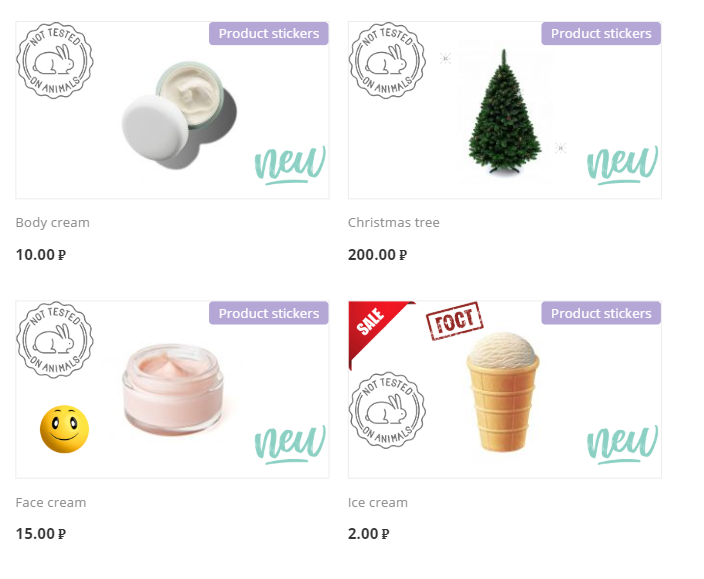
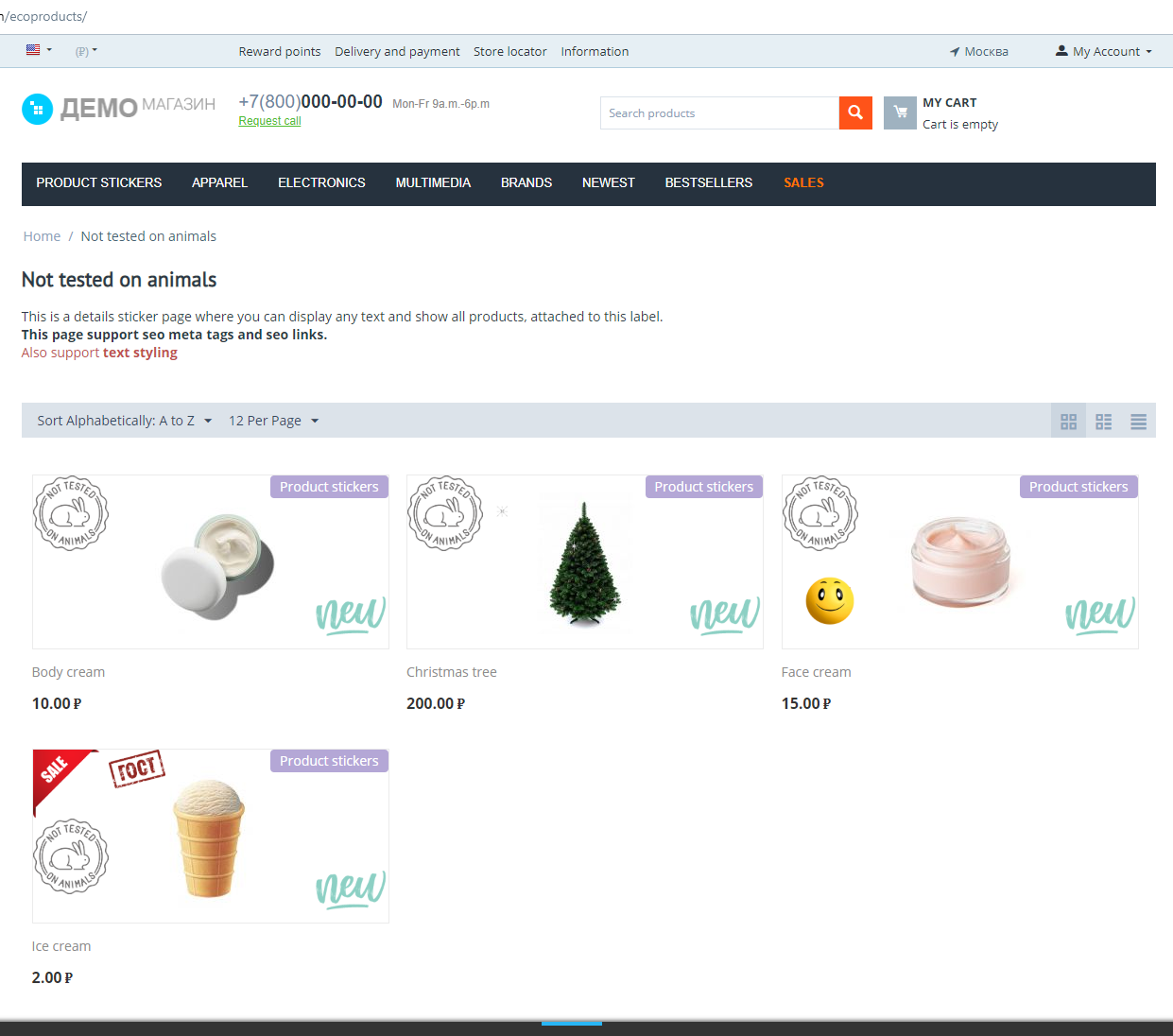
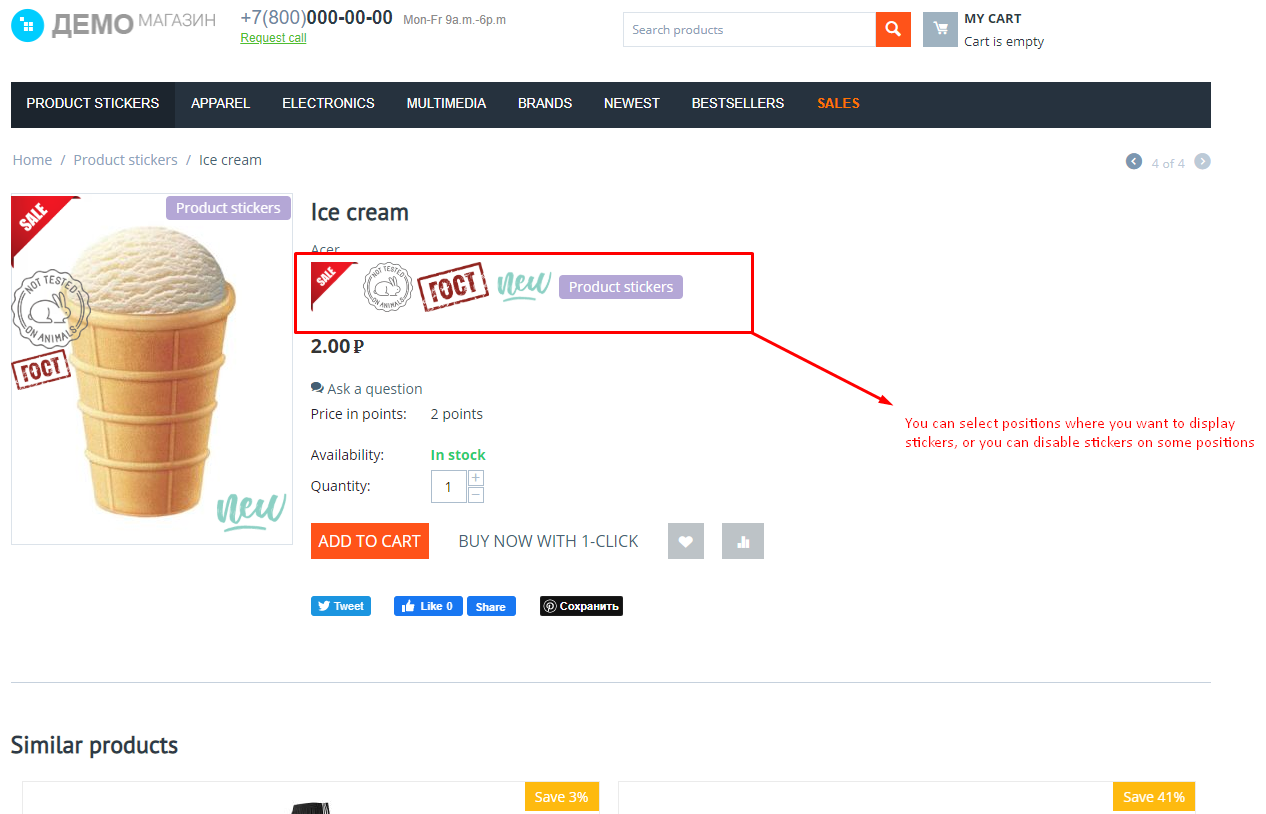
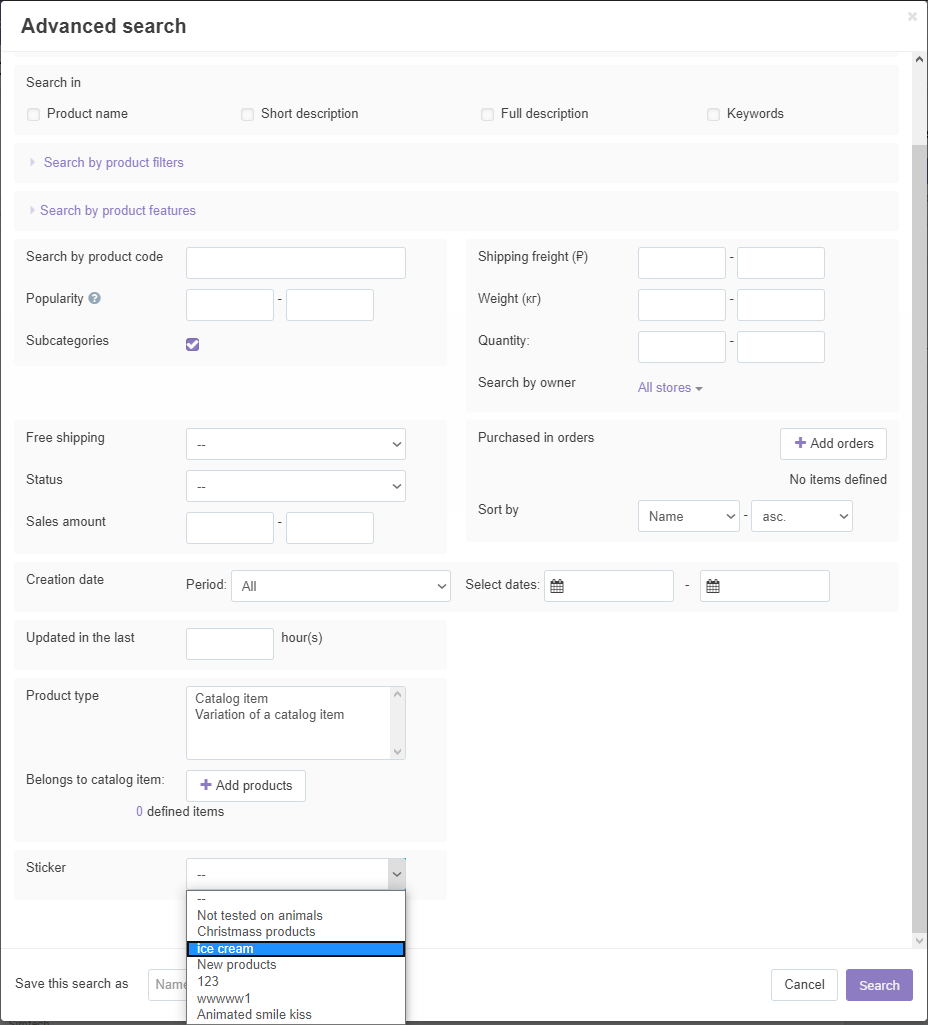
Description
A customer scanning a category decides in seconds, and a product without a visual cue is easy to skip. Marking items by hand is slow: the "New" sticker stays for months, the "Sale" sticker is forgotten when the promotion ends. The Product stickers (text and graphic) add-on for CS-Cart puts graphic or text stickers on products automatically by the rules you set: a promotion condition, price or discount, stock, sales, rating, days since creation. Stickers appear in product lists and on the product page, draw the eye to the right items and keep themselves up to date: more clicks on offers, less routine for the administrator. Installs in minutes.
What the store gets
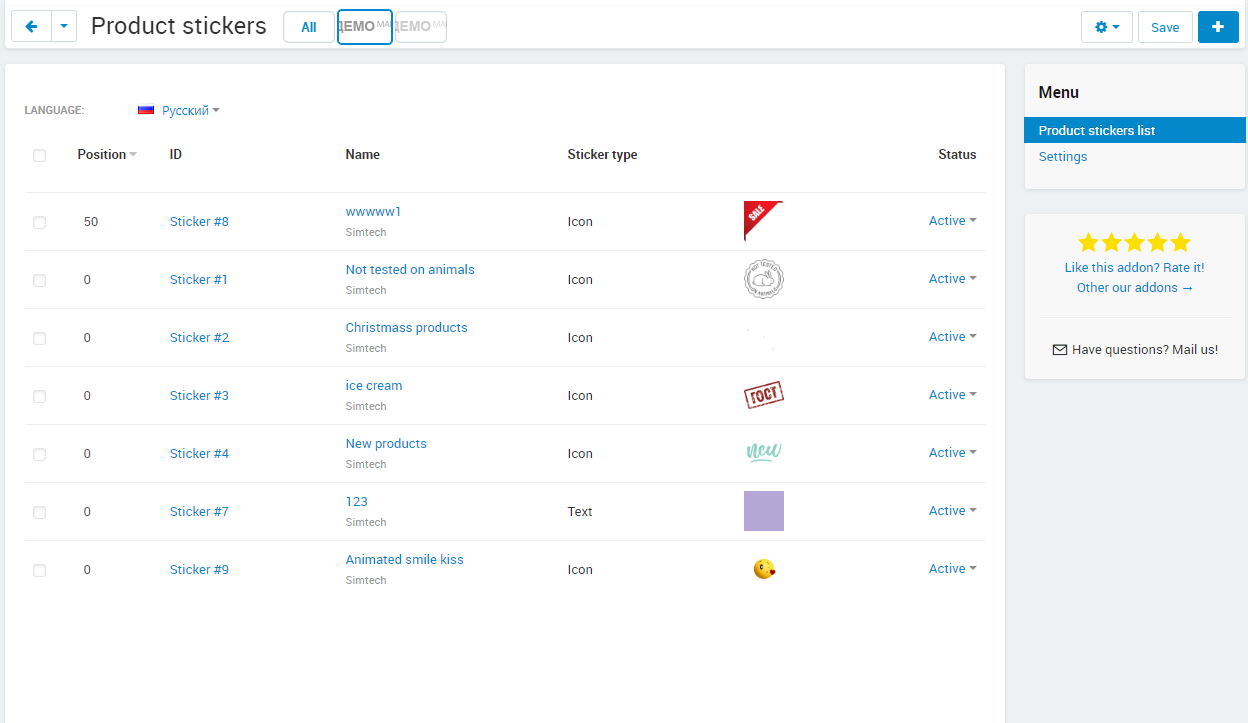
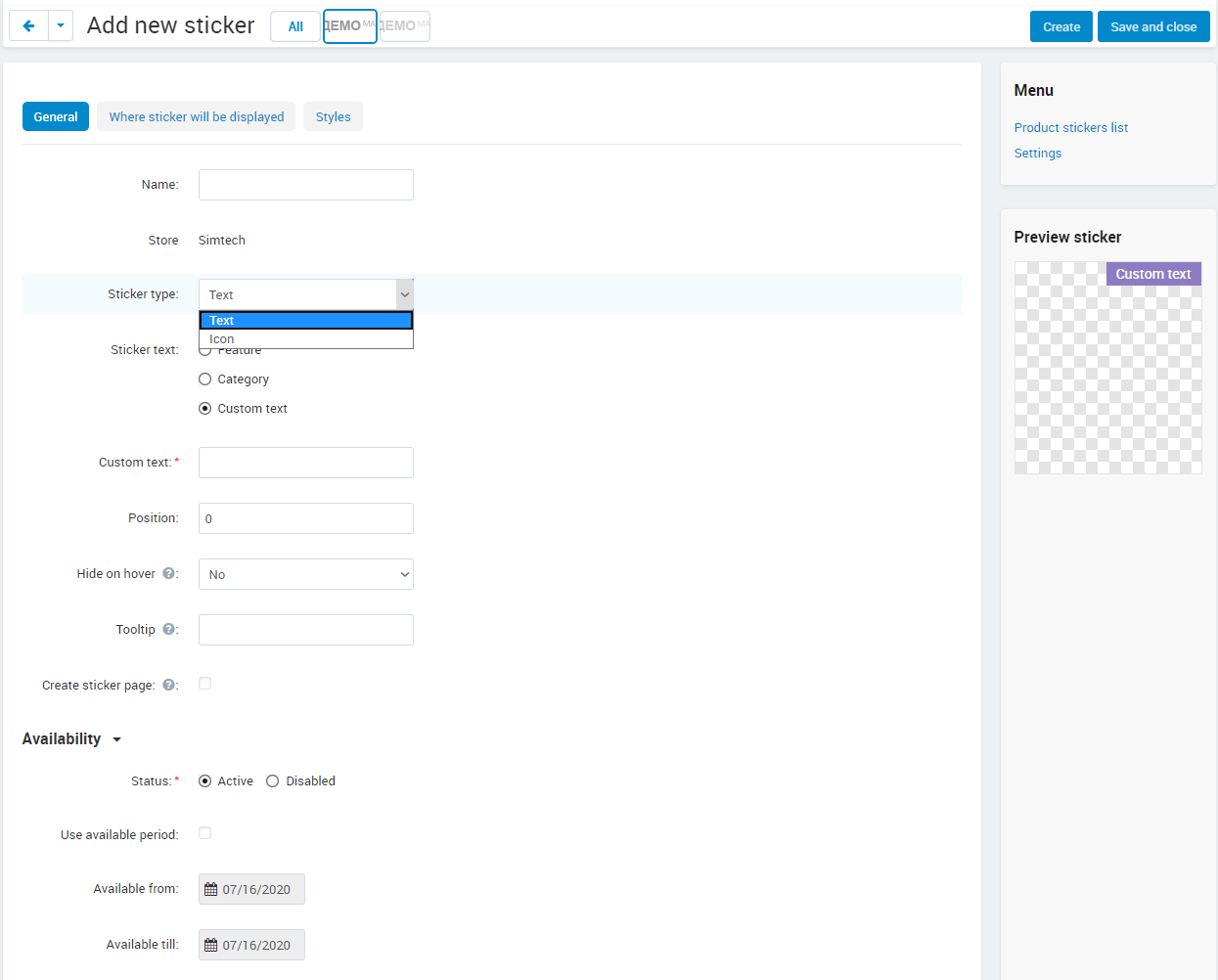
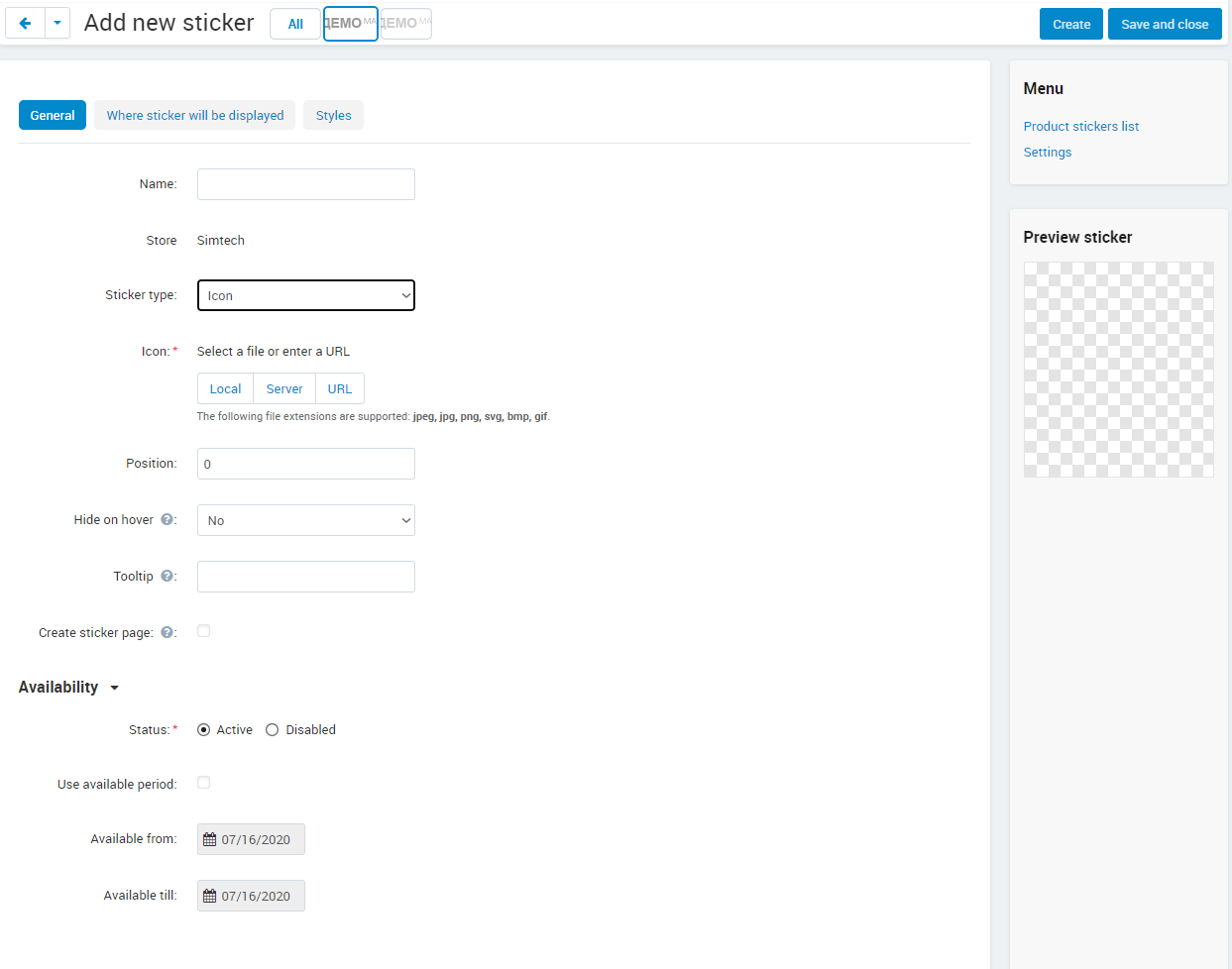
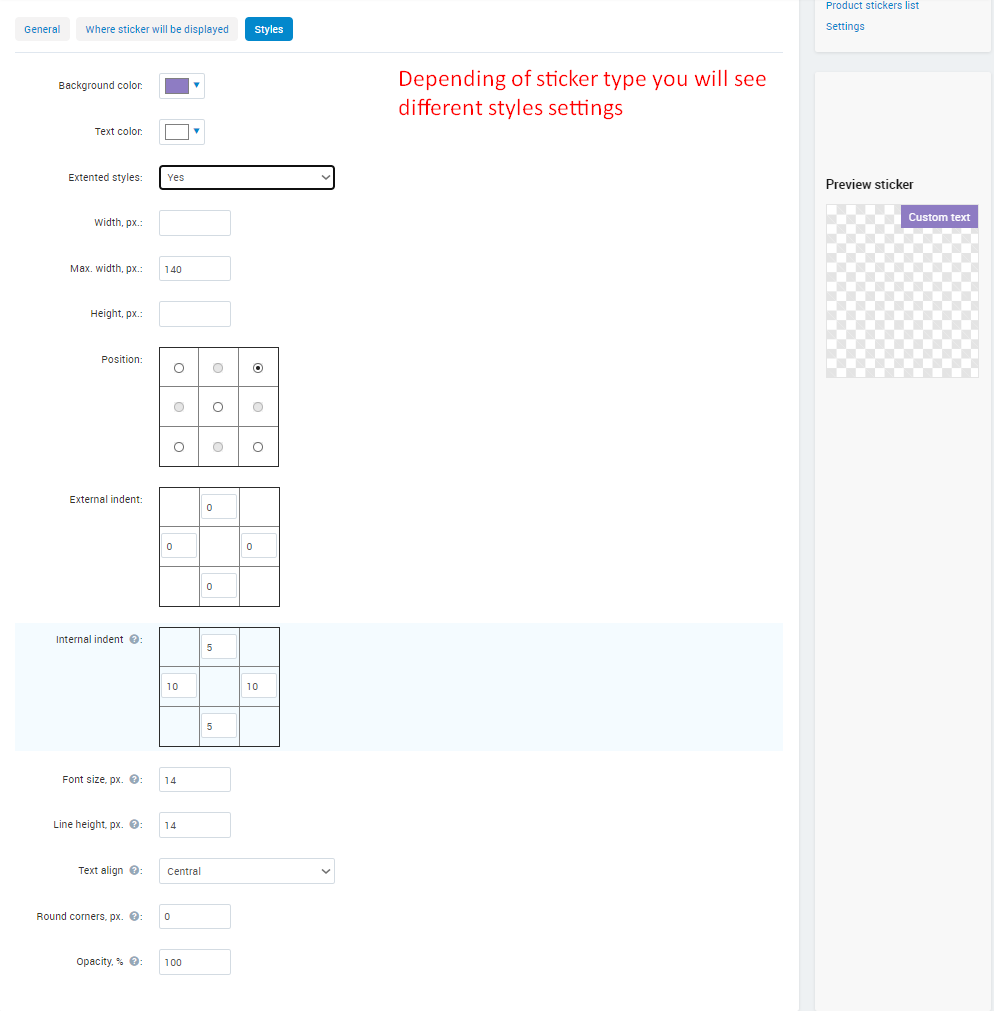
- Two sticker types: graphic, in any image format including animated GIF, PNG and SVG, and text, with background and text colours, paddings, alignment and rounded corners.
- Text stickers show custom text, a feature value, the category name, or price, list price and discount through placeholders.
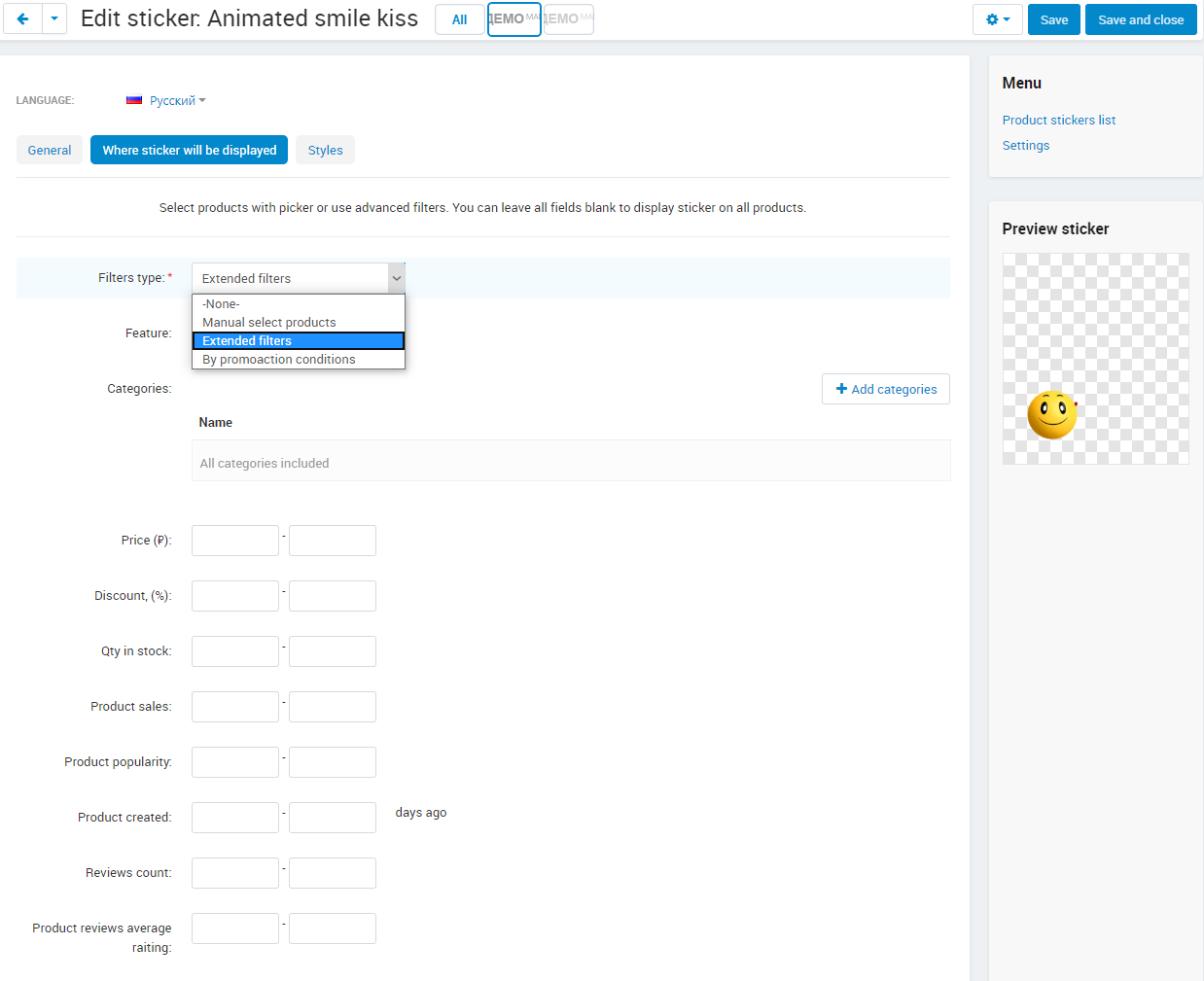
- Three ways to link stickers to products: manually, by the conditions of a chosen promotion, or by your own parameters: feature, category, price, discount, stock, sales, popularity, days since creation, reviews, rating, free shipping, warehouse availability and vendor.
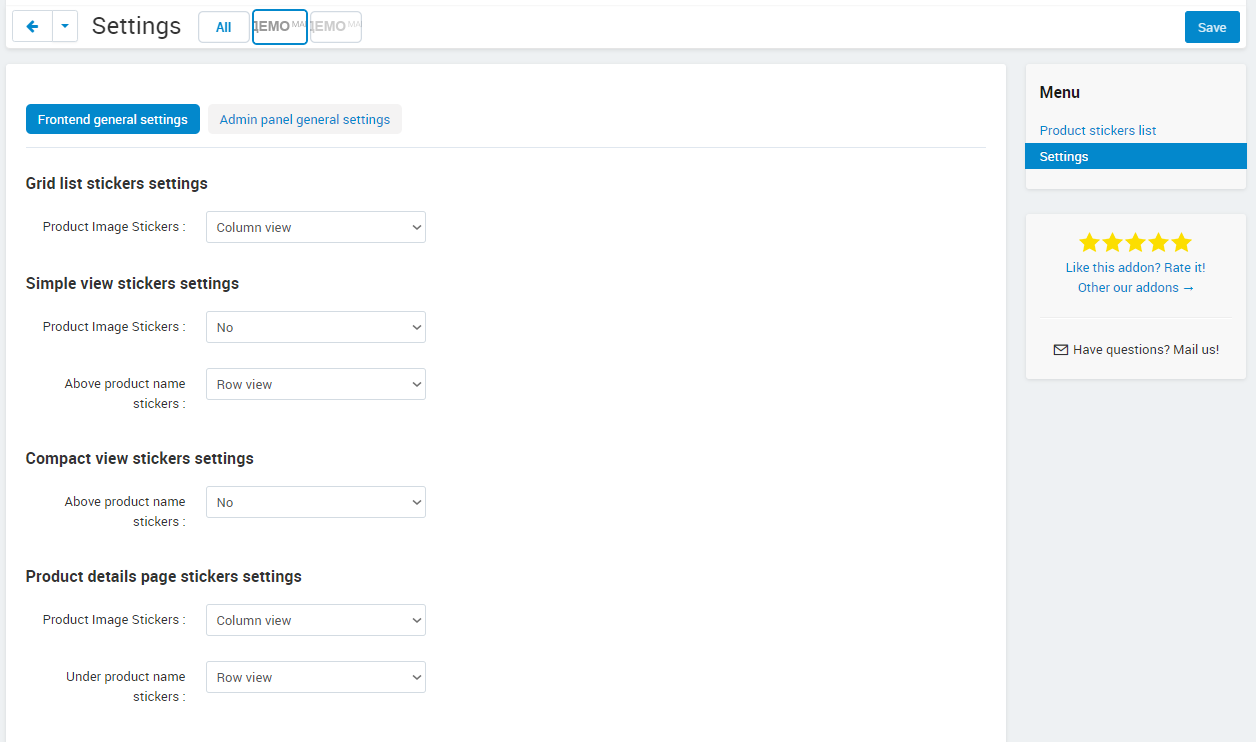
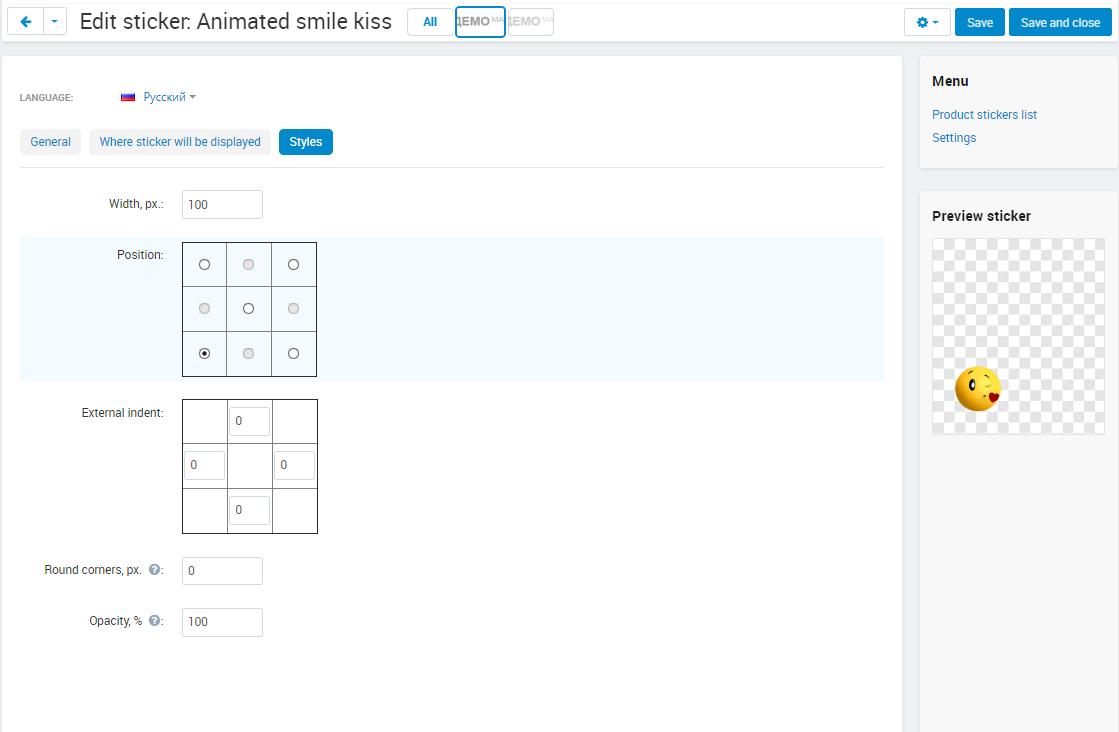
- Separate position settings for every product list template and the product page; cover, fit and stretch modes over the product image; hide on hover.
- Display period by dates, an unlimited number of stickers per product, alt and title text for sticker images.
- A page for each sticker with SEO attributes and description listing the matching products; a click on the sticker opens it.
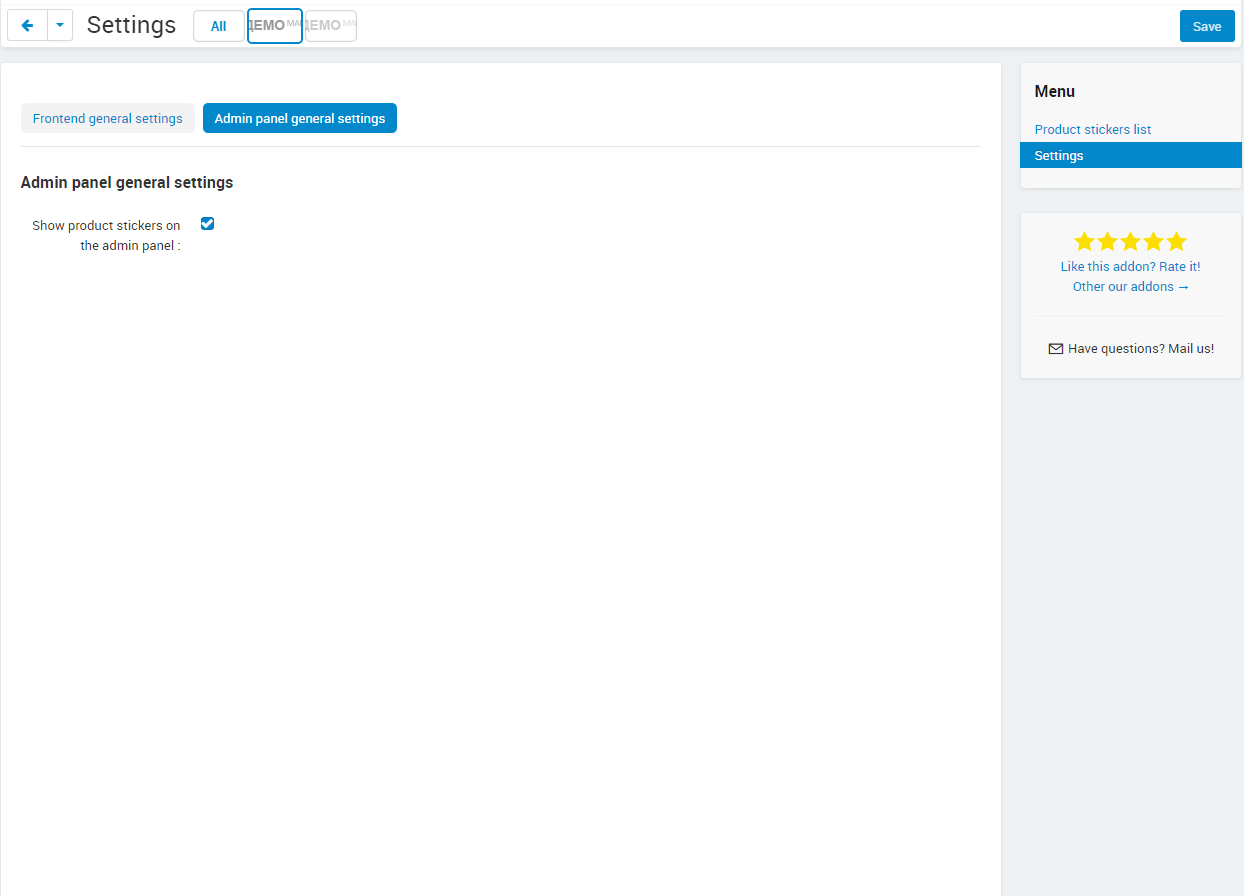
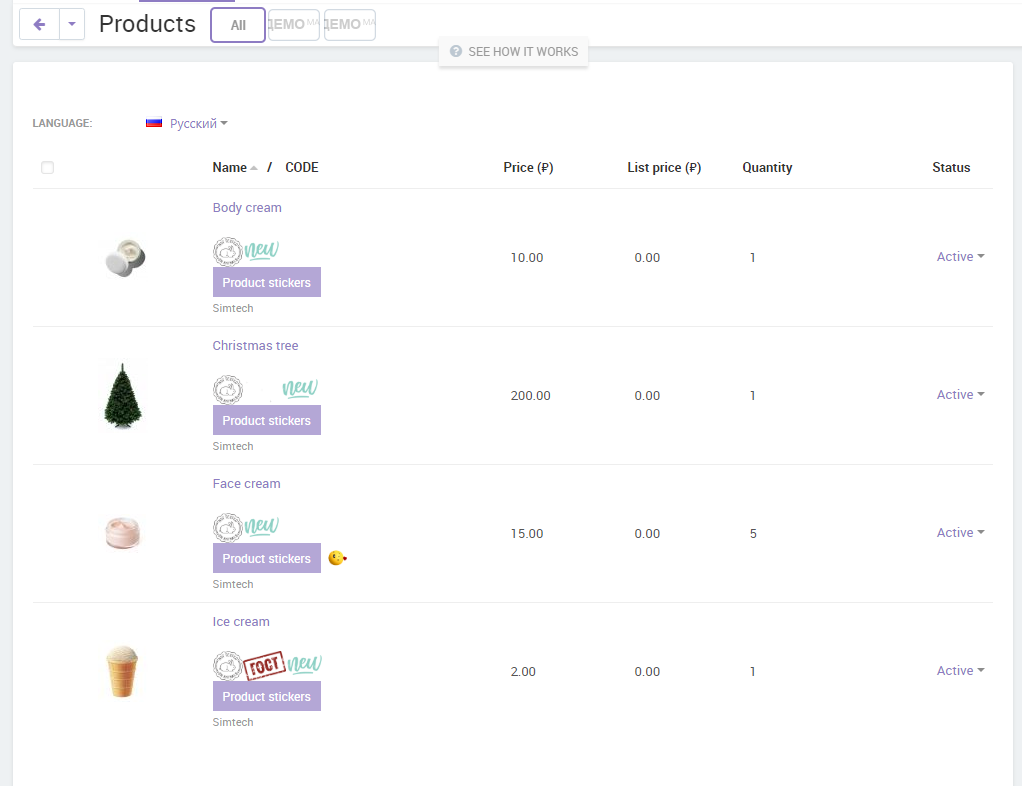
- Product blocks in layouts filled with products that carry a specific sticker; stickers visible in the admin product list.
- Multilingual, and works alongside the standard CS-Cart discount and free shipping stickers.
How it looks for the customer and the administrator
For the customer the stickers are part of the catalogue: a discount label on products under a promotion, a "Bestseller" mark on items with high sales, or a brand logo in the corner of the image. A click on the sticker leads to a page with every product that carries it, a ready-made collection. The administrator creates a sticker once, chooses its look and its rule, and the add-on applies it to new products as soon as they match; the same stickers are shown in the admin product list, so the result is easy to check.
Compatibility and updates
The add-on works on CS-Cart and Multi-Vendor 4.1.x–4.21.x in the CS-Cart, CS-Cart Ultimate, Multi-Vendor, Multi-Vendor Plus and Multi-Vendor Ultimate editions and is compatible with PHP 8.3. One license covers one store domain. Six months of updates are included; after that the subscription can be renewed, and the add-on keeps working on the installed version without renewal. Updates arrive through the CS-Cart Upgrade Center without losing stickers or settings.
Start with one rule, for example a sticker for every product in a running promotion, and extend it as the catalogue grows; new conditions and sticker options arrive with updates.
Add-on features
Stickers that place themselves
- Rules instead of manual work
Choose products by promotion conditions or by your own parameters: price, discount, stock, sales, popularity, rating, reviews, days since creation, category, feature, free shipping, warehouse availability, vendor.
- Always up to date
When a product stops matching, the sticker disappears; new products that match get it automatically.
Graphic or text, any look
- Any image
Upload a GIF, PNG, SVG or any other format, animated included; set cover, fit or stretch over the product image, and alt and title text.
- Text with placeholders
Custom text, a feature value, the category name, or the price, list price and discount through placeholders; colours, paddings, alignment and rounded corners are yours to set.
A collection behind every sticker
- Own page
Each sticker can have a page with its own SEO attributes and description that lists all matching products; the customer gets there with one click on the sticker.
- Product blocks in layouts
Fill a block on the home page or anywhere else with products that carry a chosen sticker.
Control over what is shown and when
- Display period
Set the dates between which a sticker is shown, and it switches itself off after the campaign.
- Manual mode when needed
Pick the products by hand for a one-off selection; stickers per product are unlimited.
- Visible in the admin panel
Stickers are shown in the admin product list, so the result is checked without opening the storefront.
Settings per list and theme
- Position per template
Separate settings for the grid, the product list, the short list and the product page decide where images and texts appear.
- Fits your theme
Works next to the standard CS-Cart discount and free shipping stickers; a compatibility option is provided for older templates.
Buy with this addon
Customers questions
Ask question
Byron
01.10.2024, 13:02
Good day, I'm seeking a sticker solution that can showcase stickers wherever the product is displayed, such as the order summary page, invoice page, and view cart. Can your solution do this? I'm ready to make a purchase. (we use CSCart)
Oleg Tihonovich
01.10.2024, 13:59
Hello Byron,
No, sticker will be displayed only on templates where stickers is supported by default. On templates without specific hooks labels will not be displayed.
Custom development needed to show stickers on some specific pages.
Reviews
July 13, 2023
May 22, 2023
March 13, 2023
October 29, 2022
April 13, 2022
December 17, 2021
October 05, 2020
September 07, 2020
July 17, 2020
Frequently asked questions
Which CS-Cart editions and versions are supported?
How long does it take to install and set up?
Will stickers slow down the catalogue pages?
Can a sticker follow a CS-Cart promotion automatically?
Does the add-on support several languages?
What happens when the included updates end?
Where are stickers managed?