
Cart is empty

Compatibility:
Versions: Cs-cart 4.1.x-4.22.x
Editions: Multivendor, Multivendor Ultimate, Cs-cart Ultimate, Multivendor Plus, Cs-cart
Versions: Cs-cart 4.1.x-4.22.x
Editions: Multivendor, Multivendor Ultimate, Cs-cart Ultimate, Multivendor Plus, Cs-cart
6 months free updates
30 days money-back on addons: if the add-on does not fit your needs, just request a refund
easy installation via admin panel without changing root files
free consultation on the addon and help with its installation
Fixed price for Ultimate: no need to pay for each additional storefront
Screenshots gallery
Description
In a large catalog, sections like Sale, New arrivals or Pre-order live only as long as someone keeps re-linking products by hand: a price changes, stock runs out, a novelty gets old, and the category is out of date again. Virtual categories turns any category of a CS-Cart store into a selection by conditions: tick it as virtual, describe the products by price, discount, stock, features, reviews, creation date and more, and everything that matches appears there on its own. Choose live selection or real linking on a schedule. Category pages stay current without the administrator's time, promotional sections work every day, and the add-on installs in minutes.
What the store gets
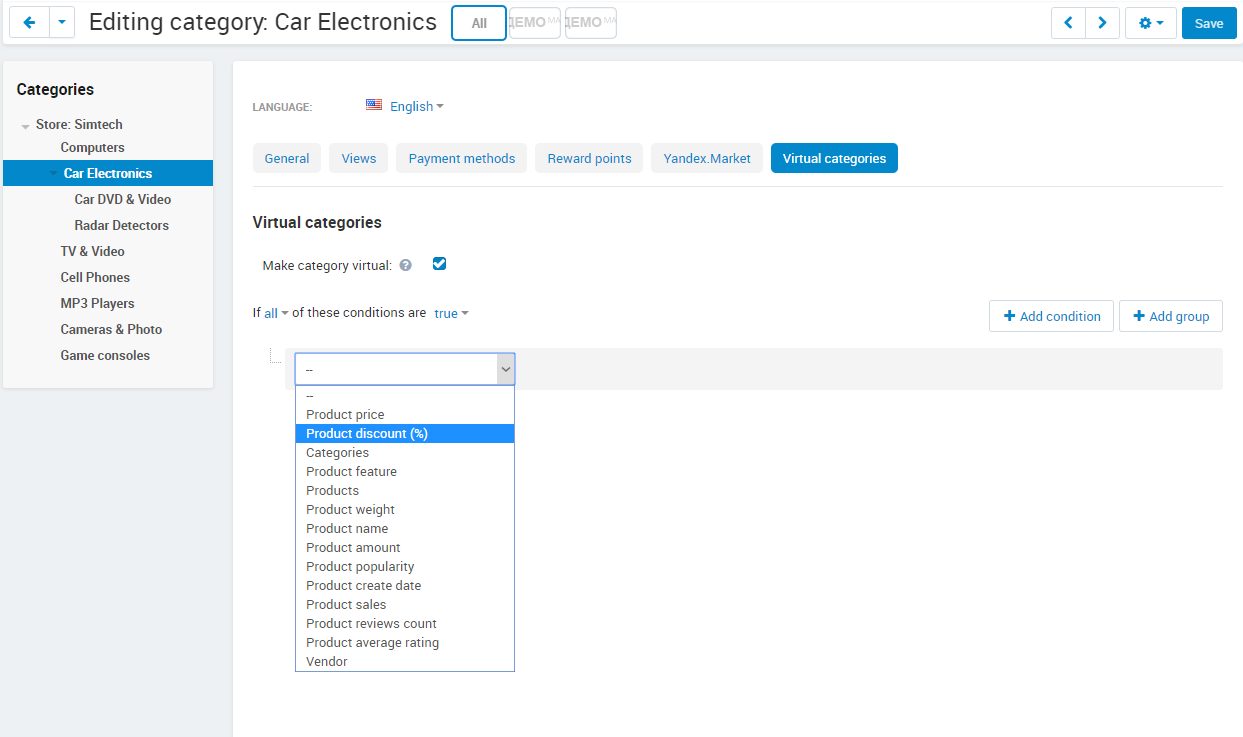
- Eighteen selection conditions: price, discount, categories, specific products, features, name, weight, vendor, supplier, stock, out-of-stock action, creation date and age, popularity, sales, reviews count, average rating, days since the last review.
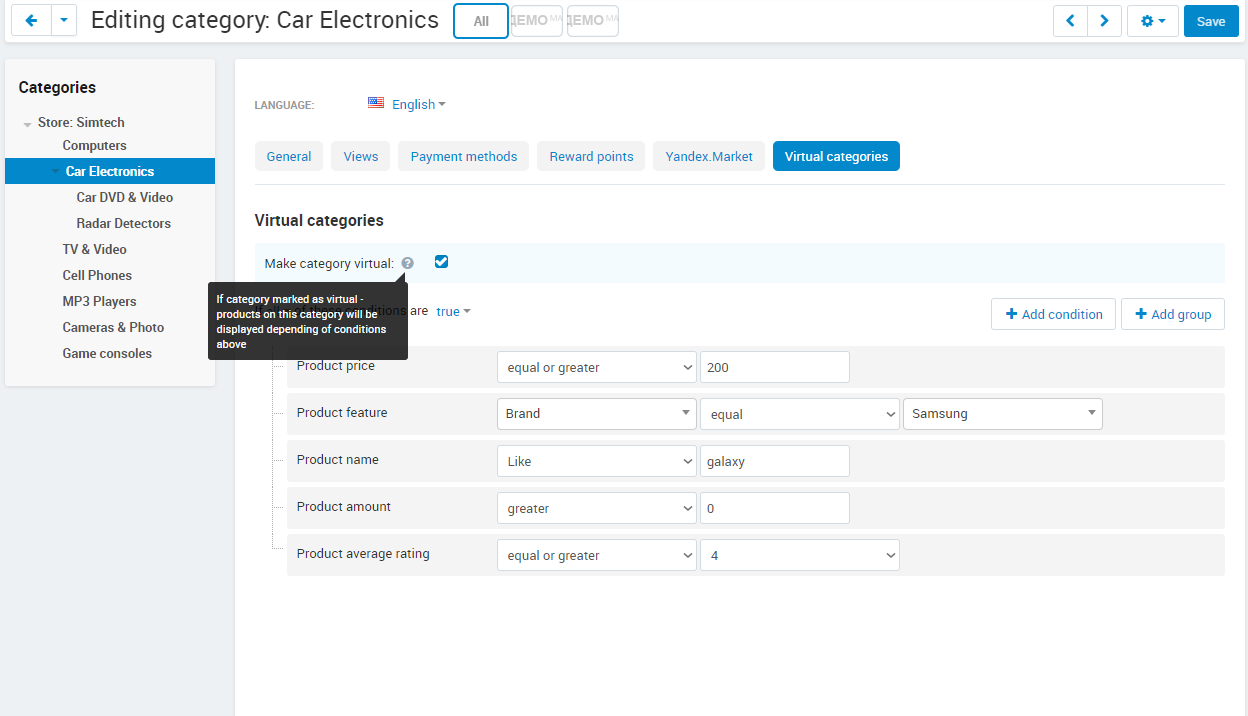
- Condition groups nested without a depth limit, each with its own all/any and true/false logic, like promotion conditions in CS-Cart.
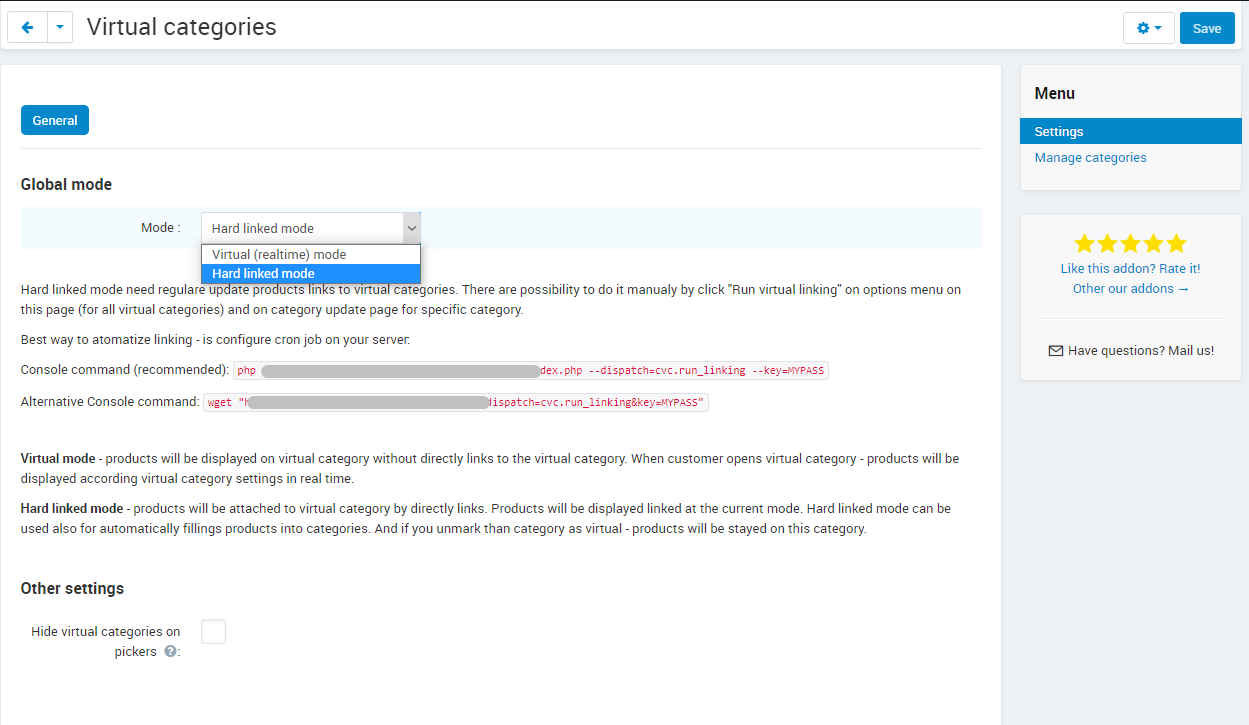
- Two modes: virtual, where the category is filled the moment it opens, and hard linking, where products are really linked by a button or a cron job.
- Dependent selections in hard linking mode: categories are processed by position, so one virtual category can build on another.
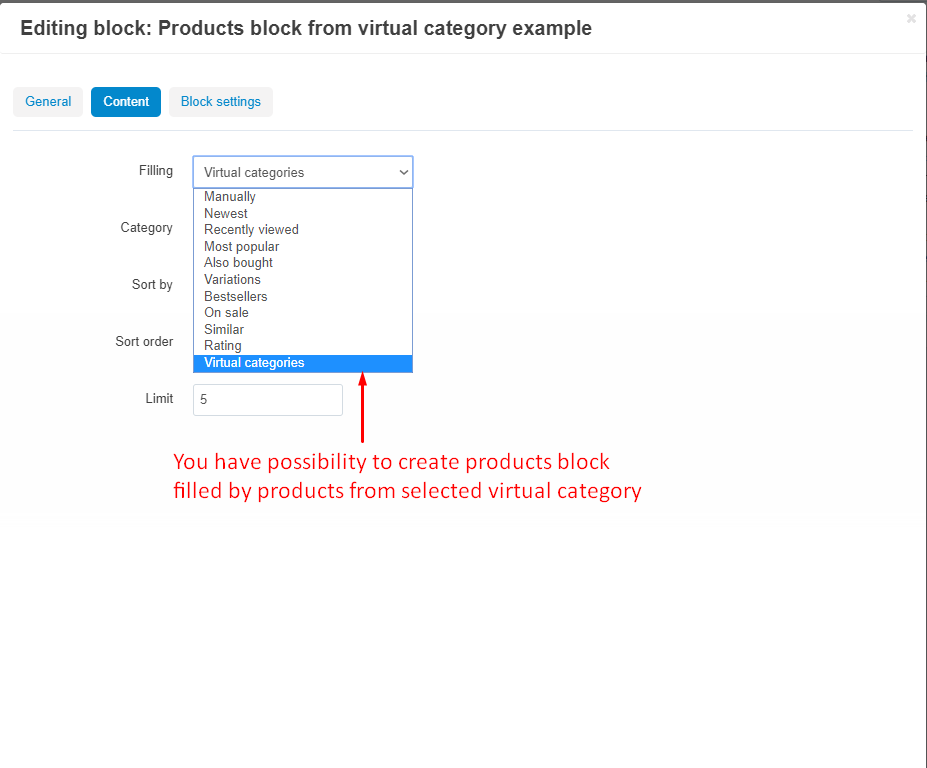
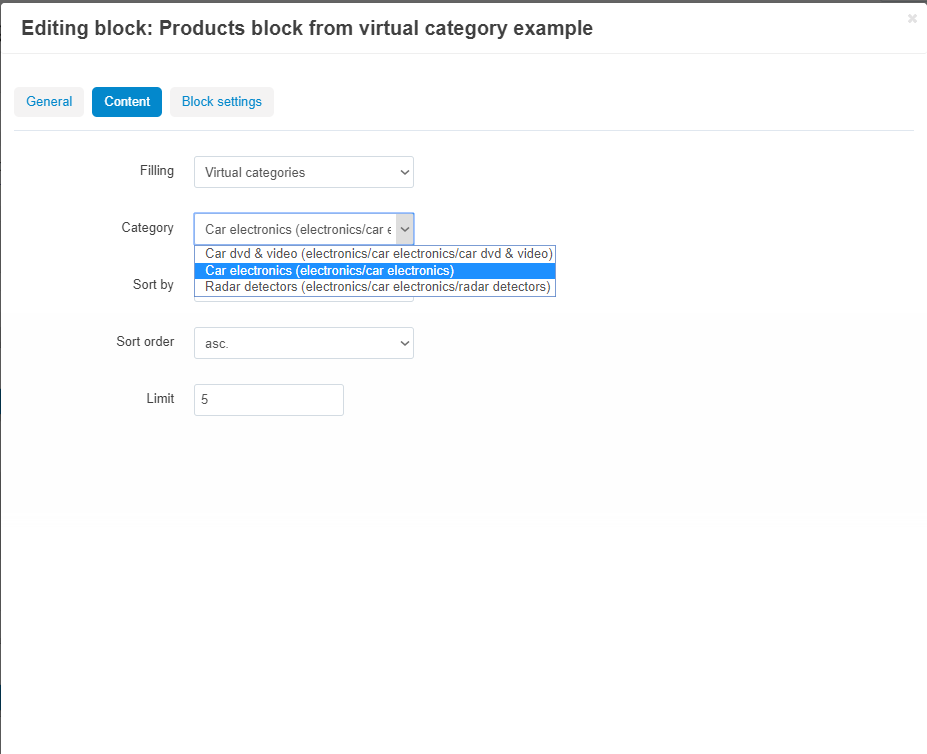
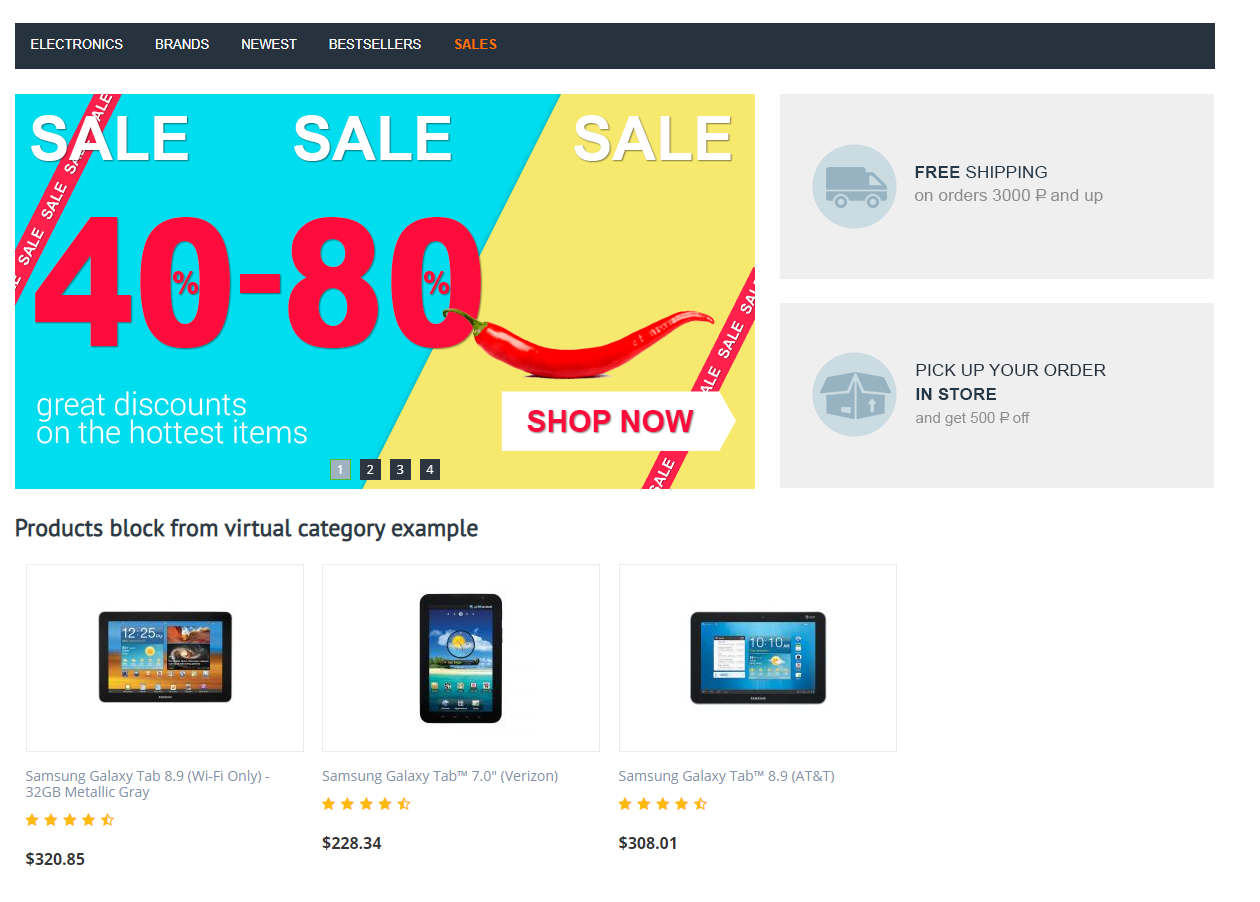
- A Products block filling that shows a virtual category anywhere on the storefront, with sorting and a limit.
- A combined category list with a filter by the virtual flag and status switching, plus view and manage privileges for staff.
- Transfer of the virtual flag and conditions with the Import/export categories add-on, to another store or for bulk edits.
- Promotions set up for a virtual category apply to the products that fall into it.
How it looks for the customer and the administrator
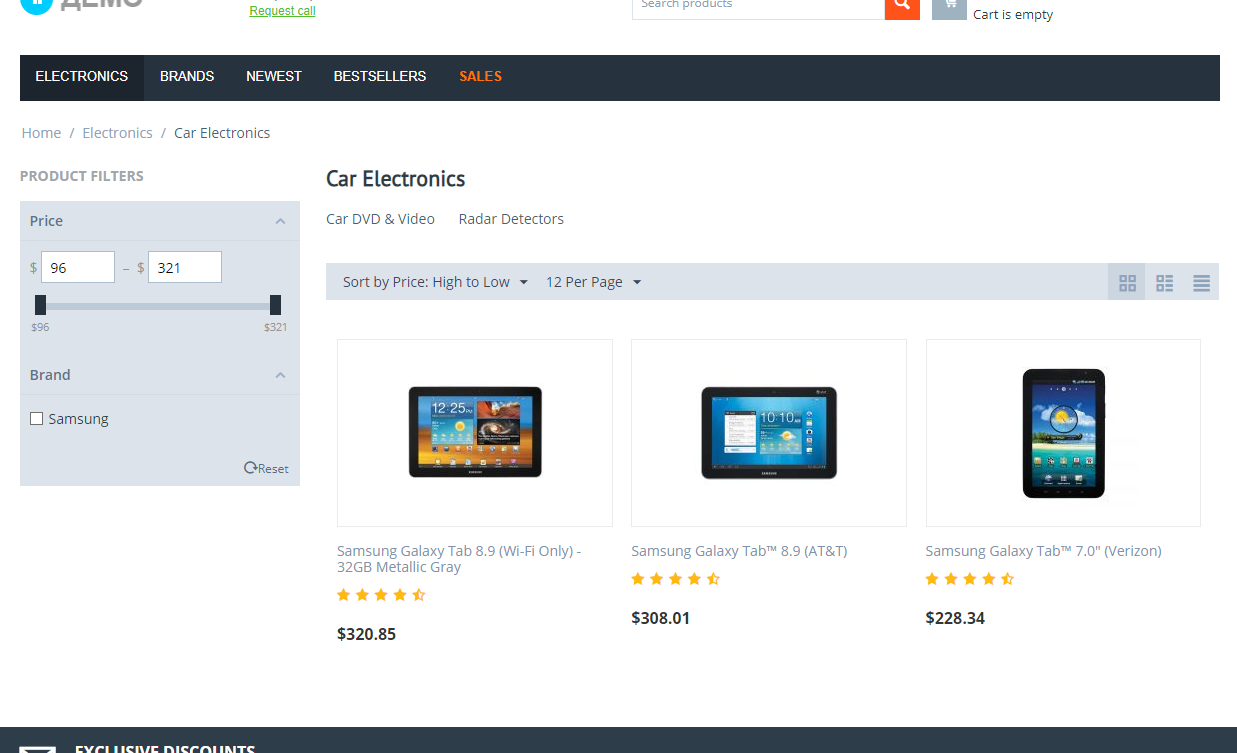
For the customer a virtual category is an ordinary category: it sits in the menu, opens as usual and shows the products that match right now. A changed price or a sold-out item moves in or out without anyone touching the catalog.
The administrator opens a category in Products → Categories, ticks Make category virtual on the Virtual categories tab and builds the condition tree: a property, an operator and a value per condition, groups with all/any logic. The add-on page under Add-ons → CS-Commerce add-ons holds the mode, the picker setting, a ready-made cron command and the list of all categories.
Compatibility and updates
Virtual categories works in CS-Cart 4.1.x–4.21.x in the CS-Cart, CS-Cart Ultimate, Multi-Vendor, Multi-Vendor Plus and Multi-Vendor Ultimate editions. Some conditions need the matching add-ons: sales need Bestsellers, reviews the reviews add-on, supplier Suppliers; the stock condition takes Warehouses into account; compatibility with UniTheme2 and AB Category banners is confirmed. One licence covers one store domain. Six months of updates are included; afterwards the subscription is renewed at will, and without renewal the add-on keeps working, only new versions require an active subscription.
Setup, every condition and both modes are described in the documentation; choose your edition on the Virtual categories page.
Add-on features
A category that fills itself
- Tick, describe, done
Mark any category as virtual and build the conditions; every product that matches appears in it without manual linking.
- Eighteen product properties
Price, discount, stock, features, name, weight, vendor, popularity, sales, reviews, creation date and more.
- Always current
In virtual mode a changed price or stock moves the product in or out at once.
Conditions of any complexity
- Nested groups
Combine conditions with all/any logic and nest groups without a depth limit, the same way promotion conditions work in CS-Cart.
- Inversion in one click
Switch a group to false and every condition in it flips: equal becomes not equal, contains becomes does not contain.
- Ready examples
Sale items in stock, new arrivals of the last 30 days, pre-order products: each is one category with two or three conditions.
What the customer and the catalog gain
- An ordinary category for the customer
It sits in the menu and opens like any other; only the way it is filled is different.
- Products anywhere on the storefront
A Products block takes items from a virtual category, on the home page or any layout, with sorting and a limit.
- Promotions work
Discounts set up for a virtual category apply to the products that fall into it.
- No more manual re-linking
The administrator describes the selection once instead of maintaining it by hand.
Safety and control
- Nothing by accident
A virtual category without conditions stays empty instead of swallowing the whole catalog.
- Lost products are kept
After hard linking, products left without any category go to a service category where they can be sorted by hand.
- Access rights
View and manage privileges let an employee see the setup without changing it.
- Clean pickers
Virtual categories can be hidden from category pickers so managers do not link products to them by hand.
Safety and control
- Recalculation on your command
Products are re-linked when you run the recalculation by button or from the gear menu, or on the schedule you set with the cron command.
- Lost products are kept
After hard linking, products left without any category go to a service category where they can be sorted by hand.
- Access rights
View and manage privileges let an employee see the setup without changing it.
- Clean pickers
Virtual categories can be hidden from category pickers so managers do not link products to them by hand.
Settings
- Two modes
Virtual selection at the moment of display, or hard linking that creates real product-to-category links.
- Linking by button or schedule
Recalculate all categories or one of them from the gear menu, or run the ready-made cron command.
- Category list
All categories of the store with the virtual flag, a filter and a status switch on one page.
- Import and export
With the Import/export categories add-on the virtual flag and the conditions travel with the category file.
Buy with this addon
Customers questions
Ask question
No questions yet
Reviews
December 06, 2022
December 16, 2021
December 16, 2021
May 17, 2021
March 03, 2021
March 02, 2021
January 02, 2021
September 07, 2020
Frequently asked questions
Which CS-Cart versions and editions does Virtual categories support?
How long does the installation take?
Will virtual categories slow down the storefront?
What happens when the included updates end?
Does it work with several storefronts or vendors?
Where are the conditions set up?
Can I use the add-on to sort products into regular categories once?